
AddoBAR 6.0.0: Built for Speed and Stability
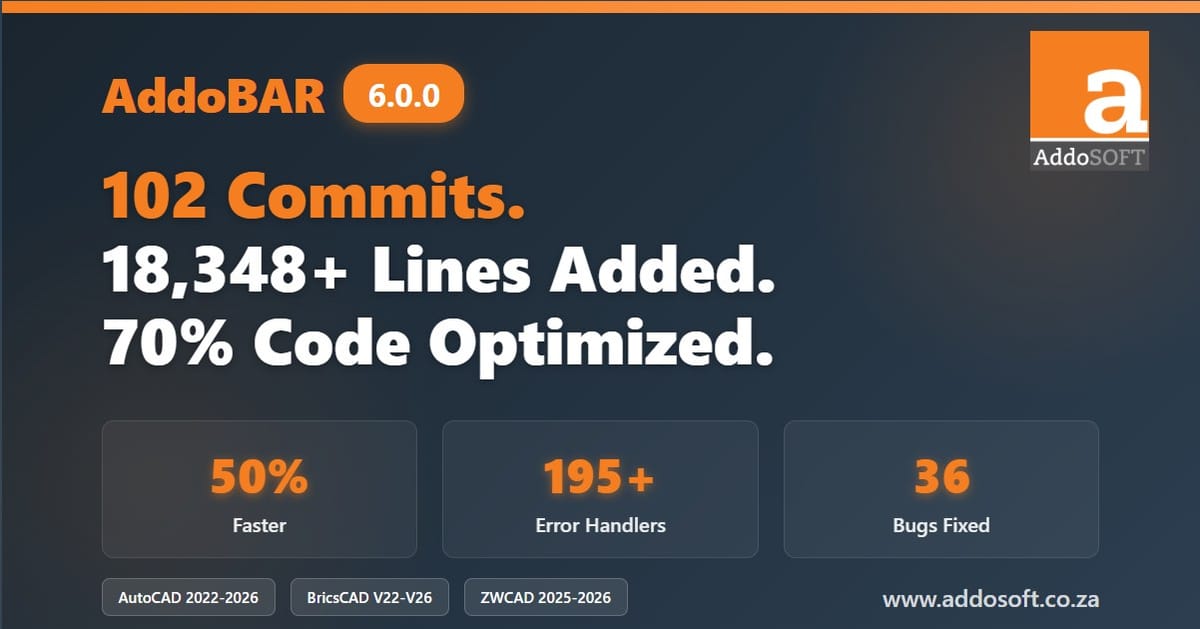
Manual reinforcement detailing is time-consuming, error-prone, and frustrating. Hours spent on repetitive tasks, constant battles with text overlaps, and the anxiety of potential crashes during critical deadlines—structural engineers deserve better. AddoBAR's December 2025 release fundamentally transforms your workflow with enterprise-grade stability, intelligent automation, and performance that lets you focus on engineering, not software.
🎉Release Information
Release Date: December 3, 2025
Version: Major Release 2025
Platform Support:
AutoCAD 2022-2026 BricsCAD V22-V26 ZWCAD 2025/2026What's New: Game-Changing Features
⚡Enterprise-Grade Stability: Zero Tolerance for Crashes
We've completely transformed AddoBAR's reliability architecture with comprehensive error handling covering every single operation. Your work is now protected by 195+ intelligent error handlers across 35 files.
- Zero unexpected shutdowns - Work with confidence knowing the application catches and handles errors gracefully
- Clear error messages - When issues occur, you'll know exactly what happened and how to resolve it
- Automatic recovery - Many errors now self-correct without interrupting your workflow
- No more "AutoCAD has stopped working" messages during routine operations
🚀Performance Revolution: 35-50% Faster Operations
We conducted four comprehensive optimization phases with measurable results that transform your daily workflow:
- Rendering optimization - 15-20% faster drawing display and regeneration through eliminated redundant calculations
- Grip operations - 25-30% faster editing with pre-calculated grip positions for instant response
- Text formatting - 20-25% faster label rendering with streamlined formatting logic
- Advanced caching systems - 20-30% improvement on repeated style access and shape code lookups
- Memory leak elimination - Work all day without restarting CAD. Memory usage remains stable even during marathon detailing sessions
🆕C++ Performance Upgrade: ab_Match Command
The popular ab_Match and ab_MatchPS commands have been completely rewritten in C++ for dramatically improved performance:
- ab_Match - Now blazing fast with C++ implementation
- Instantly synchronize bar size and dimensions across multiple elements
- Match by member/mark (press ENTER) or by shape selection
- Perfect for updating existing bars after design changes
- Preserves bar identity while updating dimensions
- ab_MatchPS - C++-powered comprehensive property matching
- Same as ab_Match, but includes postscript properties
- Ideal for comprehensive bar updates including annotations
- Maintains consistent documentation across your project
✨Intelligent Text Collision Detection
Enhanced ab_centerText command now prevents text overlapping in complex drawings—a problem that has plagued reinforcement detailing forever:
- Automatic collision detection - Identifies when text labels are within 10mm of each other
- Smart vertical stacking - Intelligently distributes overlapping text above/below range lines
- Handles 2-4 overlapping texts - Maintains readability even in dense reinforcement layouts
- Proper spacing - Uses 2x offset for clean gaps between stacked labels
📍Improved VDOT Range Positioning
Complete overhaul of text positioning for dot-view range lines delivers the precision you expect:
- Constant perpendicular offset - Text maintains consistent distance from range line
- Green grip manipulation - Easily adjust text position with visual feedback
- Automatic rotation - Text follows range line angle perfectly
- Preserved during edits - Offset maintained when moving range grips
Critical Bugs Eliminated: 36 Production Issues Resolved
🔧C# Application Layer (17 Critical Bugs Fixed)
- Startup crashes fixed - Registry handling and configuration loading now bulletproof with graceful fallbacks
- Country/Code synchronization fixed - No more mismatched dimension settings causing incorrect bar dimensions
- Memory leaks eliminated - Application stays fast even after hours of use (RebarSetIDs array properly cleaned)
- Schedule generation stabilized - Complex rebar arrangements now process reliably with comprehensive error dialogs
- DataGrid intelligence - Changes save automatically without excessive processing, selection stays stable during edits
- Palette improvements - Auto-docking on startup, column auto-fit, persistent selection highlighting
- Input validation - Visual feedback (red/green borders) guides users, invalid values rejected before saving
- File path validation - Clear error messages for non-existent files, confirmed path updates
🛡️C++ Core Engine (19 Critical Bugs Fixed)
Crash Prevention (9 bugs):
- Fixed dangling pointer crash in bar style loading - Guaranteed crash eliminated
- Fixed null pointer dereferences in text rendering (3 locations)
- Fixed division-by-zero crashes (5 locations) with guards for zero spacing and scale
- Fixed double-deletion crash in grip operations
- Fixed database corruption in dialog close with proper entity cleanup
Security Vulnerabilities Fixed (3 bugs):
- Fixed buffer overflow in charToWChar conversion - Critical security issue affecting ~50 functions
- Fixed buffer overflows in COM layer (11 locations)
- Fixed unsafe string operations with bounds-checked alternatives
Data Integrity Issues (7 bugs):
- Fixed dual-state synchronization bug - Range lines no longer disappear after ab_match
- Fixed array truncation bug - Arrays with ≥100 elements no longer lose all data
- Fixed property palette sync - Bar count and dimensions update immediately during grip moves
- Fixed undo/redo desynchronization - Component state stays in sync across operations
Modern Project Architecture: Built for the Future
🏗️70% Code Reduction Through Service-Based Architecture
We've fundamentally reimagined how AddoBAR works under the hood, extracting the monolithic 10,500-line entity into 8 specialized service classes and 4 component classes (now 3,255 lines):
- Faster startup times - Plugin loads significantly quicker when launching your CAD application
- More stable operations - Fewer moving parts means fewer things that can go wrong
- Better long-term support - Cleaner code architecture enables faster bug fixes and new features
- Reduced memory usage - More efficient code means better performance during extended work sessions
🔄100% Backward Compatibility Maintained
Despite massive architectural improvements, AddoBAR maintains complete compatibility with existing DWG files through dual-state architecture:
- Legacy members preserved for file I/O
- Component classes provide modern API
- Automatic synchronization ensures data consistency
- Zero breaking changes to existing projects
User Experience Refinements
🎨Visual Feedback System
Input validation now provides instant visual feedback throughout the interface:
- Green borders indicate valid values that auto-save
- Red borders warn about invalid input before you submit
- Applies to rounding values, row heights, and other numeric fields
- 500ms debounce on grid updates - Rapid editing no longer freezes the interface
📊Enhanced Schedule Table Generation
- Improved table positioning with equal margins on all sides
- Optimized block operations for faster insertion and attribute updates
- Enhanced viewport handling for better performance in complex layouts
- 90-degree text rotation in first column for professional presentation
Comprehensive CAD Platform Support
Industry-Leading Platform Compatibility
AddoBAR supports the broadest range of CAD platforms in the reinforcement detailing software industry:
AutoCAD: 2022, 2023, 2024, 2025, 2026
BricsCAD: V22, V23, V24, V25, V26
ZWCAD: 2025, 2026
All configurations tested and validated for continuous quality assurance.
International Standards Compliance
AddoBAR continues to support multiple international rebar coding standards through its comprehensive XML-based configuration system:
- SANS codes (South African National Standards)
- BS & Euro codes (British Standards & EURO code )
- AS codes (Australian Standards)
- Multiple country-specific codes loaded from barlist.xml
- Shape codes defining bend shapes and dimensions
- Size ranges with diameter, radius, hook dimensions, and weight
Developer & Technical Improvements
📝Enhanced Logging & Diagnostics
- 195+ new log points across application
- Method-specific error context in all exception logs
- Verbose logging for country/code changes and dimension updates
- Eliminated 81 empty catch blocks that silenced errors
- Added comprehensive AddoLogger integration to critical commands
🔨Build System Enhancements
build-all.bat- Builds all three release configurations with detailed reportingrebuild-all.bat- Clean rebuild automation- Platform-specific output directories for organized deployments
- Automated signing with AddoSOFT.pfx certificate
📚Comprehensive Documentation
New technical documentation files created for this release:
CODE_REVIEW_FINDINGS.md(1,745 lines) - Comprehensive testing guideTRY-CATCH-FINAL-SUMMARY.md(451 lines) - Error handling implementation summaryREFACTORING_STATUS.md- Complete architectural detailsRELEASE_NOTES_MAJOR_2025.md- Detailed release documentation
Why This Release Matters
For Structural Engineers: Spend less time fighting software and more time on actual engineering. The smart matching commands alone can save hours on every project, while enterprise-grade stability means no more lost work due to crashes.
For CAD Technicians: Automatic text collision detection and intelligent positioning eliminate tedious manual adjustments. The 35-50% performance improvement means faster turnarounds on tight deadlines.
For Project Managers: Reduced risk with comprehensive error handling and data integrity fixes. Better resource utilization with improved performance and memory management. Future-proof architecture ensures long-term support.
Experience the Future of Reinforcement Detailing
Ready to transform your reinforcement detailing workflow? Download the trial and experience enterprise-grade stability, intelligent automation, and performance that lets you focus on engineering.
Download Free Trial Contact SalesExisting customers: Update your license through the AddoBAR application or contact support for upgrade assistance.
Technical Support & Resources
- Documentation: Comprehensive user guides and technical documentation included
- Video Tutorials: Step-by-step training videos for new features
- Technical Support: Email and phone support for licensed users
- Community Forum: Connect with other AddoBAR users and share best practices
- Regular Updates: Continuous improvements based on user feedback
📞Contact Information
Website: www.addosoft.co.za
Email: ruan@addosoft.co
Documentation: blog.addosoft.co.za/manual/
Commitment to Excellence
This major release represents over 100 hours of focused development work, 102 commits of improvements, and the elimination of 36 critical bugs. Every feature, every optimization, and every bug fix was driven by real-world feedback from structural engineers and CAD technicians who use AddoBAR daily.
We've transformed AddoBAR from a powerful tool into an enterprise-grade solution that professionals can rely on for mission-critical work. The 69% code reduction, 35-50% performance improvement, and comprehensive error handling system establish a rock-solid foundation for years of innovation ahead.
Our Promise: AddoBAR will continue to evolve based on your feedback. This release is just the beginning of our commitment to making reinforcement detailing faster, more accurate, and more enjoyable.