
AddoBAR V7.0.0 — Rebar Detailing Software, Rebuilt From the Ground Up
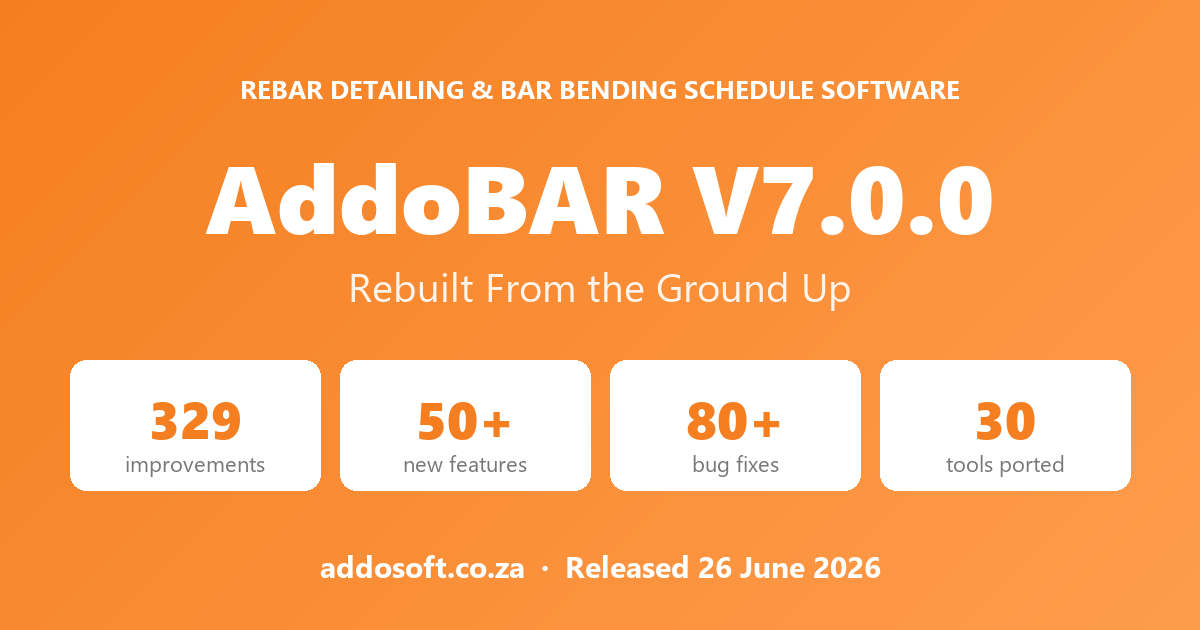
AddoBAR V7.0.0 is a major release of our rebar detailing and bar bending schedule software for AutoCAD, BricsCAD and ZWCAD — rebuilt as a fast native plugin, with a new live bar schedule, 30 ported tools and 80+ fixes.
Rebar Detailing & Bar Bending Schedule Software for AutoCAD, BricsCAD & ZWCAD
AddoBAR V7.0.0 is a native reinforcement-detailing and bar bending schedule (BBS) plugin for AutoCAD, BricsCAD and ZWCAD that generates code-compliant bar bending schedules directly from your CAD drawings. This release rewrites AddoBAR from a .NET add-in into a native ObjectARX / ObjectBRX / ObjectZRX plugin, adding a live bar schedule, automated bar marking and numbering, 2D/3D rebar visualisation and clash detection — while keeping every existing drawing and rebar object fully compatible.
AddoBAR V7.0.0 at a glance
| What it is | Reinforcement detailing & bar bending schedule (BBS) plugin |
| Runs inside | AutoCAD 2022–2027, BricsCAD V22–V26 (Windows & Linux), ZWCAD 2025–2026 |
| Built on | ObjectARX, ObjectBRX & ObjectZRX APIs — full/professional CAD required (not LT/Standard) |
| Standards supported | SANS 282:2011, BS 8666:2020, BS EN 1992-1-1:2004, AS 3600:2018, RSIC |
| Speeds up drafting by | Up to 80% vs manual reinforcement detailing |
| What changed in V7.0.0 | Complete rewrite — .NET add-in → fast native plugin |
What is AddoBAR?
AddoBAR is a reinforcement-detailing plugin that runs inside AutoCAD, BricsCAD and ZWCAD and produces bar bending schedules directly from the rebar in your drawing. Instead of drawing reinforcement as plain lines and text, AddoBAR draws it as smart rebar objects that carry their own bar mark, type, diameter, shape code and dimensions — so your detail drawing and your bar bending schedule are always the same single source of truth.
For a structural engineer or rebar detailer, that means:
- Detail and schedule in one step — every bar you place is already a schedulable item; no separate take-off.
- Automated bar marking & numbering — marks are assigned and kept consistent across the drawing.
- Rebar shape codes built in — bends and cutting lengths follow your active country code.
- 2D and 3D detailing — including clash detection between reinforcement and other elements.
- Direct Excel and PDF output — schedules export as real numeric data, ready to issue.
What changed in V7.0.0: the native rewrite
AddoBAR V7.0.0 replaces the previous Microsoft .NET 8 add-in with a native C++ plugin built directly on the ObjectARX, ObjectBRX and ObjectZRX APIs. The plugin now talks to your CAD software directly, with no .NET runtime in between — so it loads faster, reacts instantly and runs on more platforms, including BricsCAD on Linux. Your existing drawings and rebar remain fully compatible and open exactly as before.
| Aspect | V7.0.0 (native) | Previous (.NET 8) |
|---|---|---|
| Foundation | Native C++ plugin (ObjectARX / ObjectBRX / ObjectZRX) | C# on the .NET 8 runtime |
| Rebar object | True smart rebar object with grips, snaps & live properties | Generic CAD lines & text |
| Bar schedule | Live, dockable panel that auto-syncs with the drawing | Manually refreshed schedule |
| Platforms | AutoCAD, BricsCAD, ZWCAD · Windows & Linux | AutoCAD, BricsCAD, ZWCAD · Windows only |
| Runtime needed | None — native plugin | Separate .NET 8 install |
| Stability | Built-in crash reporting + guards | Basic exception handling |
Bar bending schedule (BBS) generation
A bar bending schedule is the tabulated list of every reinforcement bar in a structure — its mark, type, diameter, shape code, cutting length, number of bars and total mass. AddoBAR V7.0.0 builds this schedule live from the rebar in your drawing and keeps it in sync automatically as you add, edit, delete or undo bars.
Finding and editing bars
- Click a column to sort — and the order carries through to your Excel export.
- Natural sorting — marks read 1, 2, 3 … 10, 11 … 100, the way an engineer expects.
- Multi-select with Ctrl/Shift-click, then run bulk actions across the whole selection.
- Colour-highlight mode — bars light up in the drawing as you hover or select schedule rows.
- Edit straight in the grid — validated type, diameter and numeric cells, with Enter jumping to the next row.
Tables, totals and export
- Totals & mass tables — length and mass aggregated by diameter, with kg/m and total weight.
- Schedule diff — compare against a previous schedule and see exactly what was added, removed or changed (colour-coded), with update-in-place.
- Conflict detection — flags bars whose dimensions disagree before they reach a drawing sheet.
- Send to Excel — numeric columns written as real numbers, so totals and sorting just work.
- Publish tab — build layouts and batch-publish them to PDF, straight from the schedule.
Bar marking, shape codes & detailing tools
AddoBAR assigns bar marks automatically and draws each bar to the correct rebar shape code for your active country standard. In V7.0.0 the Add Bar, Bar Styles and Tag Bar tools were rebuilt so that marking, tagging and bending all stay consistent across the drawing.
- Add Bar remembers your last bar style, pre-fills type and diameter from your country/code defaults, and shows a live CAD-style preview with proper dimensions before you place a bar.
- Bar Styles & Style Manager — each style previews its own shape, default layer and dimension style, with a reworked tag editor for the fields that build your bar labels.
- Tag Bar is now a true rebar tag entity — grip-editable, fully supported in the Properties panel, protected from accidental changes, with leader, text and range tag modes.
- Rebar wizards — Retaining Wall and Slab / Area Zone wizards with live previews, save/load designs, country bar mapping and rotated-UCS support.
2D/3D visualisation & clash detection
AddoBAR details reinforcement in both 2D and 3D, so you can model bars as real solids and check them for clashes before they reach site. 3D rebar objects share the same mark, schedule entry and properties as their 2D counterparts, which means your visualisation, your detail and your bar bending schedule never drift apart.
- Solid 3D rebar for coordination, sections and rendering.
- Clash detection between reinforcement and surrounding geometry to catch congestion early.
- Dynamic UCS support so bars align correctly at any orientation.
Code compliance & supported standards
AddoBAR applies the rebar shape codes, bend radii, hook allowances and cutting-length rules of your selected national reinforcement standard, so the bar bending schedule it produces is code-compliant by construction. Switch the active country and the shape codes, bar sizes and schedule format update to match.
| Region | Standard | Covers |
|---|---|---|
| South Africa | SANS 282:2011 | Bending dimensions & scheduling of steel reinforcement |
| UK / Europe | BS 8666:2020 | Scheduling, dimensioning, bending & cutting of steel reinforcement |
| Europe (design) | BS EN 1992-1-1:2004 (Eurocode 2) | Design of concrete structures — detailing of reinforcement |
| Australia | AS 3600:2018 | Concrete structures — reinforcement detailing |
| Canada | RSIC | Reinforcing Steel Institute of Canada bar shapes & schedules |
Supported CAD platforms & why full CAD is required
AddoBAR V7.0.0 runs as a native plugin on AutoCAD, BricsCAD and ZWCAD using the ObjectARX, ObjectBRX and ObjectZRX APIs — which is why a full/professional CAD licence is required, and AutoCAD LT or other "Standard/Lite" editions are not supported. LT-class products deliberately omit the ObjectARX-type runtime that AddoBAR loads into, so a smart rebar object cannot exist there.
| CAD platform | Supported versions | Plugin API |
|---|---|---|
| AutoCAD (full) | 2022, 2023, 2024, 2025, 2026, 2027 | ObjectARX |
| BricsCAD (Pro/BIM) | V22–V26 · Windows & Linux | ObjectBRX (BRX) |
| ZWCAD (Professional) | 2025, 2026 | ObjectZRX (ZRX) |
- Not supported: AutoCAD LT, BricsCAD Lite/Shape, or any edition without an ObjectARX/BRX/ZRX runtime.
- No .NET runtime required — V7.0.0 is native, so there is nothing extra to install alongside your CAD software.
Performance & reliability
V7.0.0 refreshes only the part of the schedule you changed, making large-drawing updates up to 10× faster, and opens drawings with thousands of bars up to ~9 seconds quicker.
- Up to 10× faster schedule refresh on large drawings.
- ~9 seconds faster open on drawings with thousands of bars, by skipping redundant redraws.
- 80+ bug fixes — grip-edit data corruption, XREF rebar and tag crashes, linked-bar sync, Match Properties, and AutoCAD/ZWCAD property drop-downs.
- Built-in crash reporting so issues are detected and fixed faster.
Licensing
AddoBAR V7.0.0 supports both single-seat and floating/network licences, with activation handled in the background and key-only activation.
- Floating / network licences — activate and release seats across a shared environment.
- Key-only activation — just your licence key; name and email are optional.
- Update notifications — AddoBAR tells you on load when a newer version is available.
Frequently asked questions
What is a bar bending schedule, and does AddoBAR create one automatically?
A bar bending schedule (BBS) is the tabulated list of every reinforcement bar — mark, type, diameter, shape code, cutting length, quantity and mass. AddoBAR builds the BBS live from the rebar in your drawing and keeps it in sync as you edit, then exports it to Excel or PDF.
Which CAD platforms does AddoBAR V7.0.0 support?
AutoCAD 2022 to 2027, BricsCAD V22 to V26 (Windows and Linux) and ZWCAD 2025 and 2026, using the ObjectARX, ObjectBRX and ObjectZRX APIs.
Does AddoBAR work on AutoCAD LT?
No. AddoBAR is a native ObjectARX/BRX/ZRX plugin, and AutoCAD LT (and other Lite/Standard editions) do not include the API runtime it loads into. A full/professional CAD licence is required.
Which reinforcement standards does AddoBAR support?
SANS 282:2011 (South Africa), BS 8666:2020 and BS EN 1992-1-1:2004 (UK/Europe), AS 3600:2018 (Australia) and RSIC (Canada). Shape codes and schedule format follow the active country setting.
Will my existing drawings still work after updating?
Yes. Although V7.0.0 is a ground-up rewrite, your existing drawings and rebar remain fully compatible and open and edit exactly as before.
Do I still need the .NET runtime installed?
No. AddoBAR is now a native CAD plugin and no longer depends on a separate .NET installation.
AddoBAR — reinforcement detailing and bar bending schedule software for AutoCAD, BricsCAD and ZWCAD.
AddoBAR V7.0.0 · Released 26 June 2026 · © AddoSOFT