
AddoBAR V7.1.0 — Rebar Detailing Software, Rebuilt From the Ground Up
AddoBAR V7.1.0 is a major release of our rebar detailing and bar bending schedule software, rebuilt as a native plugin for AutoCAD, BricsCAD and ZWCAD — with a new live bar schedule, 30 ported tools and 80+ fixes.
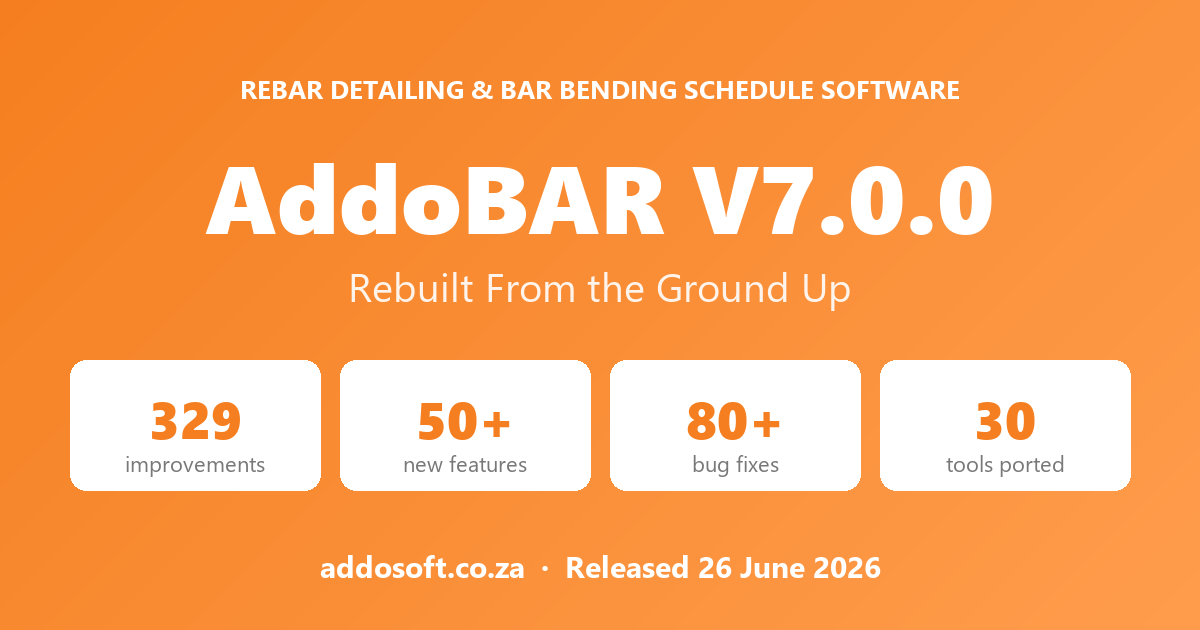
The biggest AddoBAR release ever
Reinforcement detailing should be fast, reliable and effortless — not a fight against slow tools and unexpected crashes. With AddoBAR V7.1.0, we tore the engine out and rebuilt it. This is the largest update to our rebar detailing and bar bending schedule software since version 6.0.5 (17 February 2026) — big enough to earn a brand-new major version number.
Below is a plain-English tour of everything we improved, grouped by the part of AddoBAR you actually use.
🎉 Release at a glance
| Version | V7.1.0 |
| Release date | 26 June 2026 |
| Previous version | 6.0.5 (17 Feb 2026) |
| What changed | Complete rewrite — .NET → fast native plugin |
| Supported platforms | AutoCAD, BricsCAD, ZWCAD · Windows & Linux |
🔧 Rebuilt from the ground up
The headline change is one you will not see on screen, but you will feel in everyday use. AddoBAR has been completely re-engineered. The previous versions were built on Microsoft’s .NET framework; V7.1.0 is a ground-up rewrite as a native plugin that talks to your CAD software directly.
What it means for you:
- Faster and more responsive — native code loads quicker and reacts instantly, with no .NET runtime in between.
- More stable — a cleaner foundation, plus built-in crash reporting so we catch and fix issues faster.
- Runs on more platforms — the same native core now supports AutoCAD, BricsCAD and ZWCAD, on Windows and Linux.
- No extra runtime to install — AddoBAR no longer depends on a separate .NET installation.
- Nothing left behind — we carefully ported your familiar AddoBAR toolkit across, so the commands you use every day are all still here.
📋 The Bar Schedule, rebuilt
The bar schedule is now a fast, dockable panel that lives next to your drawing and stays in sync automatically. This is where most of the love went.
Find and edit bars faster
- Click a column to sort — ascending or descending, and the order carries through to your Excel export.
- Natural sorting — marks and members read 1, 2, 3 … 10, 11 … 100, the way a person expects (not 1, 10, 100, 11).
- Multi-select bars with Ctrl/Shift-click, then run bulk actions on the whole selection.
- Colour-highlight mode — bars light up in the drawing as you hover or select rows, so you always know what you are looking at.
- Edit straight in the grid — type and diameter from a smart drop-down, numeric cells validated, and Enter jumps to the next row for quick data entry.
- Dimensions round cleanly down to the nearest 5, matching the Properties panel.
Better tables and exports
- Totals & weight tables — mass and length totals aggregated by diameter, with kg/m and total weight.
- Paginated schedule sheets with block borders that split automatically by row count.
- Schedule diff — compare against a previous schedule and see exactly what was added, removed or changed, colour-coded (green / red / yellow), with an update-in-place option.
- Conflict detection — rows where a bar’s dimensions disagree are flagged before they reach a drawing sheet.
- Send to Excel — numeric columns are written as real numbers (not text), so totals and sorting just work.
- Publish tab — build layouts and batch-publish them to PDF, right from the schedule.
Layout that remembers you
- Drag to reorder columns and the order is saved with the drawing.
- Unused dimension columns hide themselves, and columns auto-fit to content.
- Member headers span the full width as clear section dividers.
- Jump to any bar — middle-click to zoom, step through multiple instances with the navigator, or zoom to bars only.
➕ Add Bar — smarter from the first click
- Remembers your last bar style between sessions and pre-fills type and diameter from your country/code defaults.
- Live preview as you work — with proper CAD-style dimensions and the insertion point shown, so you see exactly what you are placing.
- CAD-style colour grid replaces the old plain drop-down, with a hover highlight on the shape picker.
- Diameter list filtered by type — pick H and you only see H10, H12, H16…
- Defaults that make sense: single bar, the active layer, and the Standard bar style applied automatically.
🎯 Bar Styles & Style Manager
- Each style previews its own shape, with its own default layer and dimension style.
- Reworked tag editor — add, edit, remove, reorder and copy the tag fields that build your bar labels, including multiplier tags.
- A compact, tidy dialog with an embedded live preview.
🏷️ Tag Bar — completely rebuilt
Bar tagging was rebuilt from scratch. Tags are now first-class AddoBAR objects, so they behave like the rest of your rebar instead of loose text.
Before
- Plain text + leader, with no real identity
- Couldn’t be edited in the Properties panel
- No grips to move them
- Easily changed by accident
- Fixed text format, no range mode
Now
- A proper tag entity with full Properties support
- Grip-edit the leader and text position
- Protected from accidental changes
- Leader, text and range tag modes
- Auto-annotative with configurable text height
🧱 Smarter rebar wizards
Retaining Wall
- Live side-view preview — the wall cross-section and bar positions redraw as you change parameters, instead of a static diagram.
- Save & load designs so you can reuse wall configurations.
- Country bar mapper — maps bar codes to your active country’s standard, fixing bars that previously drew off-screen on non-SANS setups.
- Respects a rotated UCS — walls align to your current coordinate system.
Slab / Area Zone
- Respects a rotated UCS — slab bars align correctly at any orientation.
- Diameter included in mark grouping — bars of different diameters now get their own marks.
- Clearer range-line placement and country bar mapping.
⌨️ Your full toolkit, ported across
A ground-up rewrite could have meant losing commands. It didn’t. We ported 30 tools from the .NET version into the new native engine — and improved many along the way. Highlights:
- Survey & GPS — GPS coordinate entry with WGS84 conversion, survey levels, and coordinate-to-table / to-drawing tools.
- KML import / export — with a redesigned import dialog.
- Attributes & batch — export and update block attributes via Excel, in bulk, and across whole folders of drawings.
- Point & CSV import — bring survey points in from CSV or TXT.
- Drawing tools — Borehole soil logs, Box Text, Text-to-MText, Strip Bar, ScaleXY, and the ZSet elevation tool.
- Publish — layouts and batch PDF publishing.
- Support, Feedback & Help and the drawing-list opener, all brought across.
🎨 A modernised interface
- A unified dark theme with a clean, consistent look across every dialog.
- Rounded corners and branded title bars for a polished, native feel — with smooth corners on Windows 11.
- Pop-up dialogs now reliably stay on top across every CAD host.
- AutoCAD and ZWCAD now look and behave like the BricsCAD version — one consistent experience everywhere.
🖥️ More CAD platforms than ever
- AutoCAD 2027 — added, alongside continued support for AutoCAD 2022 through 2026.
- ZWCAD 2025 and 2026.
- BricsCAD — V22 through V26, now including Linux.
🔑 Licensing made easier
- Floating / network licences — activate and release seats across a shared environment.
- No more waiting — activation and deactivation happen in the background, with no UI lag.
- Key-only activation — just your licence key; name and email are optional.
- Update notifications — AddoBAR tells you on load when a newer version is available.
- Plus fixes for clock-skew and stale-state issues that could drop you back into demo mode.
🛡️ Reliability & accuracy
- Grip editing won’t corrupt your data — moving or stretching bars no longer quietly changes stored dimensions or creates false schedule conflicts.
- Fixed a rare crash when editing certain dimensions, plus crashes around XREF rebar and tag range-moves.
- Linked-bar sync restored — changes propagate between linked bars again.
- XREF rebar protection — a toggle keeps rebar in referenced drawings from being altered by accident.
- Match Properties now correctly copies the bar type and grade.
- Cleaner mirroring, dot-range and stepped-bar rendering, and Properties-panel drop-downs fixed on AutoCAD and ZWCAD.
- Built-in crash reporting so we detect and fix problems faster.
⚡ Performance
- Up to 10× faster schedule refresh on large drawings, thanks to refreshing only the group you changed.
- Drawings with thousands of bars open up to ~9 seconds faster by skipping redundant redraws.
- Cached text formatting for snappier redraws, and faster schedule collection overall.
🔍 Under the hood: the .NET → native move
For the technically curious: AddoBAR V7.1.0 is the native C++ successor to our C# .NET 8 plugin. Here is how the two compare.
| Aspect | V7.1.0 (native) | Previous (.NET 8) |
|---|---|---|
| Foundation | Native C++ plugin (ObjectARX / BRX) | C# on the .NET runtime |
| Interface | Modern, cross-platform UI | Windows-only UI |
| Rebar object | A true smart rebar object with grips, snaps & properties | Generic CAD lines & text |
| Platforms | AutoCAD, BricsCAD, ZWCAD · Windows & Linux | AutoCAD, BricsCAD, ZWCAD · Windows only |
| Stability | Built-in crash reporting + guards | Basic exception handling |
What’s genuinely new (not just ported)
| Feature | What it adds | |
|---|---|---|
| Smart rebar object | A true rebar entity with grips, snaps and live properties | New |
| Live preview | Real-time bar preview inside the Add Bar dialog | New |
| Schedule diff | Compare schedules and update in place | New |
| Self-healing menus | Detects a missing ribbon/menu and reloads it on upgrade | New |
| Linux support | The same dialogs run on BricsCAD for Linux | New |
Still on the roadmap
A handful of specialised utilities from the .NET version are not yet ported and are planned for upcoming updates — including schedule-table cleanup, quantity extraction, parapet and culvert generators, and vertical-curve tools.
❓ Frequently asked questions
Which CAD platforms does AddoBAR V7.1.0 support?
AutoCAD 2022 to 2027, BricsCAD V22 to V26 (Windows and Linux) and ZWCAD 2025 and 2026.
Will my existing drawings still work after updating?
Yes. Although V7.1.0 is a ground-up rewrite, your existing drawings and rebar remain fully compatible — everything opens and edits exactly as before.
Do I still need the .NET runtime installed?
No. AddoBAR is now a native CAD plugin and no longer depends on a separate .NET installation.
How do I update to AddoBAR V7.1.0?
Update through your usual channel. AddoBAR now checks for new versions on load and will let you know when this release is ready to install.
Thank you for using AddoBAR, our rebar detailing and bar bending schedule software.
AddoBAR V7.1.0 · Released 26 June 2026 · © Addosoft