
Getting Started with AddoSOFT

To start off, you can download AddoSOFT here: DownloadAddoSOFT
Below you can find a Template to get you Started
After downloading, you can double-click the downloaded file and click Yes on the prompt to start the installation process.
Now, a popup will appear where you can choose the version of CAD you would like to install. After selecting the desired version, click Install. Once the installation is complete, click Finish.
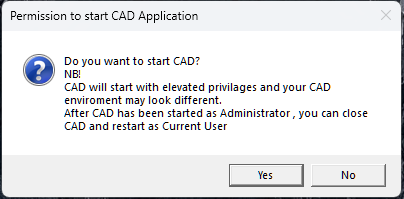
A new popup will appear asking you to start CAD as an administrator. You need to click Yes for AddoSOFT to be installed into CAD.
Now CAD will open. You will need to navigate to a blank drawing to proceed with the setup.
Once in a blank drawing, navigate to the AddoSOFT ribbon.
Now click on the License Tool. If you have a key, fill in your details and press Activate to activate the software. To activate the trial version, simply leave the key blank.
After this, you can watch the video if you want a quick demo of how AddoBAR works.